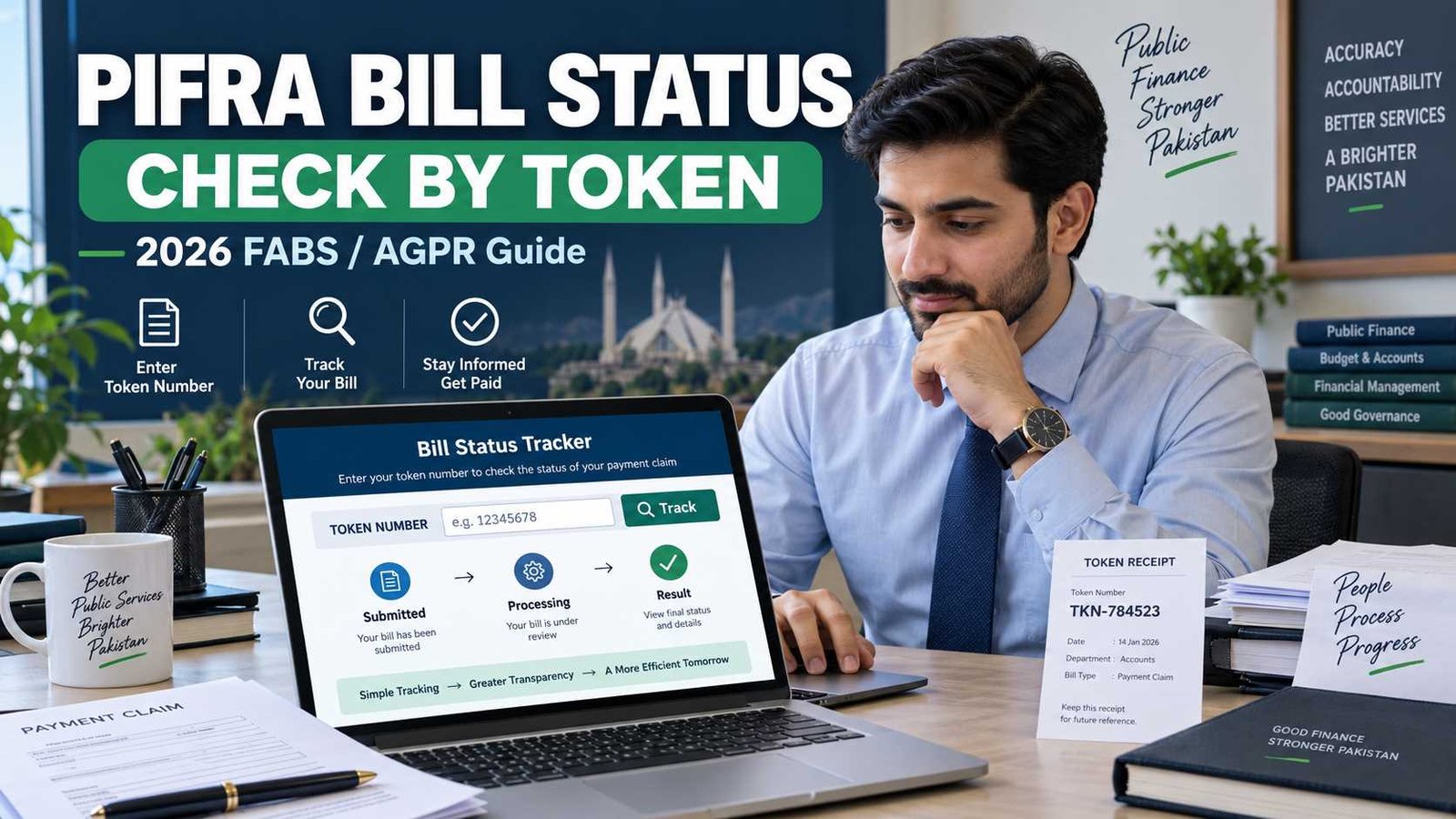
 PIFRA Bill Status is the online government service used to check the progress of a payment claim after it has been entered into the government accounts system. The current FABS website says the Bills Status service lets users check payment claims online and that the key information needed is the bill’s token number.
Federal users can also access bill tracking through the Accountant General Pakistan Revenues, or AGPR. AGPR currently tells users checking a bill to use the FIDTokenNo format.
Use the relevant official FABS, AGPR or Accountant General service rather than entering bill details into an unknown third-party website.
Current Bill Tracking Information
| Item | Current Information |
|---|---|
| Service | Bills Status / Bill Tracking System |
| Main system | FABS |
| Main tracking reference | Token number |
| AGPR instruction | Use FIDTokenNo format |
| Federal accounting office | AGPR |
| Provincial claims | Relevant Accountant General/DAO system may apply |
| Online billing support | 051-9107209 |
| Online billing email | olbshelp@cga.gov.pk |
| Last verified | September 17, 2026 |
FABS also provides an AG’s Office Bill Tracking System, which it describes as a central dashboard covering Accountant General offices.
Check Official Bill Status
The button should lead users to the current official FABS/AGPR bill-tracking route, not to a form hosted by pifra.pakword.com.
Important: pifra.pakword.com is an independent information website. We do not process government bills, access FABS records or store users’ bill-tracking credentials.
What Is PIFRA Bill Status?
PIFRA Bill Status is the name many government employees and departmental staff still use for online government bill tracking.
When a payment claim is submitted to an Accountant General, District Accounts Office or AGPR and entered into the government accounting process, a token is associated with the claim. The token can then be used for tracking.
FABS now presents the service simply as Bills Status and says it is designed to check the status of payment claims online.
The older term PIFRA remains familiar because parts of the government’s financial system continue to use PIFRA-domain infrastructure. The current m.pifra.gov.pk/token_page address remains live and redirects to a government SAP application.
Bill tracking should not be confused with:
DDO Budget Expenditure, which deals with departmental budget and spending.
Salary Slip, which deals with employee payroll information.
Vendor Information, which deals with vendor registration/details.
They are separate FABS services.
How to Check PIFRA Bill Status Online
1. Get the Correct Token Number
You need the token connected with the payment claim you want to track.
The FABS Online Billing Solution manual explains that a token is generated for a bill submitted through the online billing process. Under the traditional process, the AGPR/AG counter also issues a token when it receives the claim.
Do not substitute your CNIC, employee number, DDO Code or vendor number unless the official tracking service specifically asks for it.
2. Open the Official Bill Tracking Service
Start from the official FABS website and select Bills Status, or use the bill-status service published by the relevant AG/AGPR office.
The FABS site currently describes this service as:
checking payment claims online using the token.
Federal departments dealing with AGPR can also use the AGPR online-services section, where Check Bill Status is currently listed.
3. Enter the Token in the Required Format
Enter the claim token exactly as required by the official screen.
For AGPR, the current website specifically instructs users to use the format:
FIDTokenNo
AGPR does not tell users on its public services page to enter a CNIC or DDO Code for this basic bill-status lookup.
Follow the live form rather than an old PIFRA tutorial because interface requirements can change.
4. Submit the Search
Use the Track, Search or equivalent button shown by the government application.
The system will then attempt to retrieve the payment claim associated with the token.
5. Read the Current Claim Information
Review the information displayed by the official system.
The exact wording and level of detail can differ according to the relevant office, report and processing stage. Do not assume that every federal and provincial bill-tracking screen will display identical fields.
If you need more detailed departmental payment information rather than the basic token lookup, FABS and AGPR also provide separate DDO payment reports. AGPR says its DDO Detailed Payment Status service allows DDOs to check claims by their respective IDs and vendors.
What Information Is Required?
For the standard FABS Bills Status service, the official FABS website states that all that is needed is the claim’s token.
AGPR describes its bill-status input as FIDTokenNo.
This is important because many old PIFRA guides claim that you must always provide combinations such as:
CNIC
Government Code
District Code
DDO Code
Username and password
Those extra requirements should not be presented as universal requirements for the current basic Bills Status service when the official FABS site says the token is sufficient.
Other government reports or departmental systems can require additional identification, but that is a different service.
What Does a Bill Token Number Mean?
A token number is a tracking reference associated with a government payment claim after the claim enters the relevant accounts process.
The official FABS Online Billing Solution manual explains that under the physical submission process, staff at an AGPR/AG counter receive the claim and issue a token to the DDO. That token is then used for tracking.
In the online submission process, the portal itself generates a token for the submitted bill.
Think of the token as the claim’s tracking reference.
It is not the same as:
| Number | Purpose |
|---|---|
| Token number | Tracks a submitted payment claim |
| DDO Code | Identifies a drawing/disbursing office or cost centre |
| Personnel number | Identifies an employee in relevant government systems |
| Vendor number | Identifies a registered vendor |
| CNIC | Personal identity number |
Use the number requested by the particular government service you are accessing.
Understanding Bill Status Messages
The precise labels displayed in the live bill-tracking interface may vary, so it is better not to rely on unofficial lists claiming every bill must show statuses such as Pending, Approved, Paid or Rejected in exactly that wording.
The official documentation does, however, explain the underlying claim process.
A claim is received and processed through the appropriate pre-audit section. If it satisfies the required checks, it moves through review and approval stages. Passed claims proceed toward payment processing, while a bill that does not clear the process can be returned or rejected with objections.
AGPR also provides a Bill Summary report, which it describes as showing claims processed during the previous 30 days.
So when reading your tracking result, use the wording displayed by the official system itself.
If the Bill Has Passed
A passed claim has completed the relevant pre-audit/approval stage and can proceed into the payment process.
The FABS online billing documentation says that passed bills are forwarded for payment processing, while rejected claims are returned through the applicable workflow.
If the Bill Has Been Returned or Rejected
A rejected or returned claim may require the department/DDO to deal with the objection before resubmission.
AGPR’s published pre-audit procedure states that rejected bills are returned with written objections and can be resubmitted after those objections are removed.
Do not guess the reason from the word rejected alone. Check the actual objection or contact the relevant departmental/accounts office.
Bill Status Not Showing
A missing result does not automatically mean that the bill has been lost or rejected.
Check the Token Carefully
Compare the token with the official receipt or record.
For federal AGPR claims, follow its current FIDTokenNo instruction.
A typing error can prevent the correct record from being found.
Make Sure You Are Using the Correct Accounts Office
Federal and provincial claims do not necessarily originate from the same office.
AGPR serves federal government accounting functions, while provincial Accountant General and District Accounts offices handle claims falling under their jurisdictions.
FABS provides an AG’s Office Bill Tracking System as a central resource, but individual Accountant General websites can also expose their own tracking entry points.
Confirm That a Token Has Actually Been Generated
A claim cannot normally be tracked by token before that token exists.
For online bills, FABS documentation says the portal generates the token when the bill is submitted. For physical workflows, the receiving accounts counter issues the token.
If you have not received a token, confirm the submission with your DDO or relevant accounts office.
Try the Official Service Again
A government web application may occasionally be unavailable or fail to load correctly.
Start again from FABS, AGPR or the relevant Accountant General website rather than switching to an unofficial form asking for sensitive information.
Contact the Relevant Office if the Record Still Cannot Be Found
A technical help desk can assist with the online system, but questions about the actual claim may need to be resolved through the DDO, AGPR, AG or DAO handling the bill.
PIFRA Bill Status vs DDO Budget
Bill Status and DDO Budget answer completely different questions.
| PIFRA Bill Status | PIFRA DDO Budget |
|---|---|
| Tracks a specific payment claim | Shows departmental budget/expenditure |
| Uses a claim token for basic tracking | Uses DDO/budget-related information |
| Focuses on one submitted bill | Focuses on a department or cost centre |
| Helps follow claim processing | Helps monitor allocation and expenditure |
| Does not show the department’s complete budget | Does not replace token-based claim tracking |
FABS lists Bills Status separately from DDO Budget Expenditure and DDO Reconciliation.
If your question is how much budget your office has used or how much remains, read our PIFRA DDO Budget guide instead.
AGPR and Accountant General Bill Tracking
There is an important jurisdiction difference.
Federal Government / AGPR
AGPR currently provides an online Check Bill Status service and instructs users to enter the bill reference in FIDTokenNo format. It also offers more detailed DDO payment reports separately.
Punjab
The Accountant General Punjab website currently lists Bill Status among its online services. It also describes the Online Billing Solution as a centralized platform for preparing, submitting, managing and monitoring electronic bills.
Sindh
Accountant General Sindh currently provides a Bill Tracking System and says users can check the status of bills/claims by providing the claim token number.
Other Provinces and Accounting Offices
Do not assume that every claim should be searched through AGPR Islamabad.
Use the accounts office responsible for your claim and follow the current service provided through FABS or the relevant Accountant General/DAO.
This is more accurate than treating PIFRA Bill Status as one universal federal portal for every type of claim in Pakistan.
Online Bill Support
FABS currently publishes the following support details for Online Billing Solution (SEHAL) issues:
Telephone: 051-9107209
Email: olbshelp@cga.gov.pk
Office:
FABS Directorate
Second Floor, AGPR Building
G-8/4, Islamabad, Pakistan
FABS separately lists its salary-slip help line, so use the online billing contact for online-billing technical issues rather than the salary-slip contact.
For a problem with the actual processing or objection on a particular payment claim, your DDO or the relevant AGPR/AG/DAO office may still be the appropriate source because the help desk cannot replace the accounting office’s claim-processing decision.
Keep Your Bill Information Safe
A basic bill-status check should be performed through an official government service.
Do not submit government credentials, passwords, OTPs, CNIC scans, payroll documents or confidential departmental records to a website simply because it uses the word PIFRA in its domain name.
For basic FABS Bills Status, the official site says the token is what is needed.
pifra.pakword.com does not need your token, CNIC, password or government login details to provide this guide, and it does not process bill-status searches on your behalf.
Frequently Asked Questions
How can I check my PIFRA Bill Status online?
Use the official FABS/AGPR or relevant Accountant General bill-tracking service. For the basic FABS Bills Status service, enter the token associated with the payment claim.
What information is needed to check a government bill?
FABS currently says its Bills Status service only needs the token. AGPR instructs federal users to use FIDTokenNo for its Check Bill Status service.
What is FIDTokenNo?
It is the format AGPR currently specifies for its online Check Bill Status service. Use the exact reference associated with your claim and follow the format shown by the live AGPR/FABS application.
Can I check PIFRA Bill Status with my CNIC?
Do not assume CNIC is required for the standard Bills Status lookup. The current FABS website says the token is all that is needed for its basic bill-status service. Other vendor or employee-related services may separately use CNIC or other identifiers.
Is PIFRA Bill Status the same as DDO Payment Status?
No. Basic Bills Status is token-based claim tracking. AGPR separately provides DDO Detailed Payment Status, which allows DDOs to check claims by relevant IDs and vendors.
Is PIFRA Bill Status the same as DDO Budget?
No. Bill Status follows an individual payment claim, while DDO Budget/BER shows departmental budget and expenditure. FABS lists the services separately.
What should I do if my token shows no result?
First verify the token and make sure you are using the correct accounting office/system. If the token is correct but the claim still cannot be found, confirm submission with your DDO or relevant AGPR/AG/DAO office. For technical Online Billing Solution issues, FABS currently lists 051-9107209 and olbshelp@cga.gov.pk.
Sources and Verification
Last verified: September 17, 2026
This guide was checked against current official information from:
- Financial Accounting & Budgeting System, Controller General of Accounts
- Accountant General Pakistan Revenues
- Controller General of Accounts
- Accountant General Punjab
- Accountant General Sindh
- FABS Online Billing Solution documentation
The current FABS website confirms that Bills Status is a token-based payment-claim tracking service and separately publishes an AG’s Office Bill Tracking System.
AGPR currently lists Check Bill Status with the instruction to use FIDTokenNo.
Independent-site notice: pifra.pakword.com is an independent informational website. It is not FABS, CGA, AGPR, an Accountant General office or an official Government of Pakistan website.